helloEdu: Parent Portal
First Steps
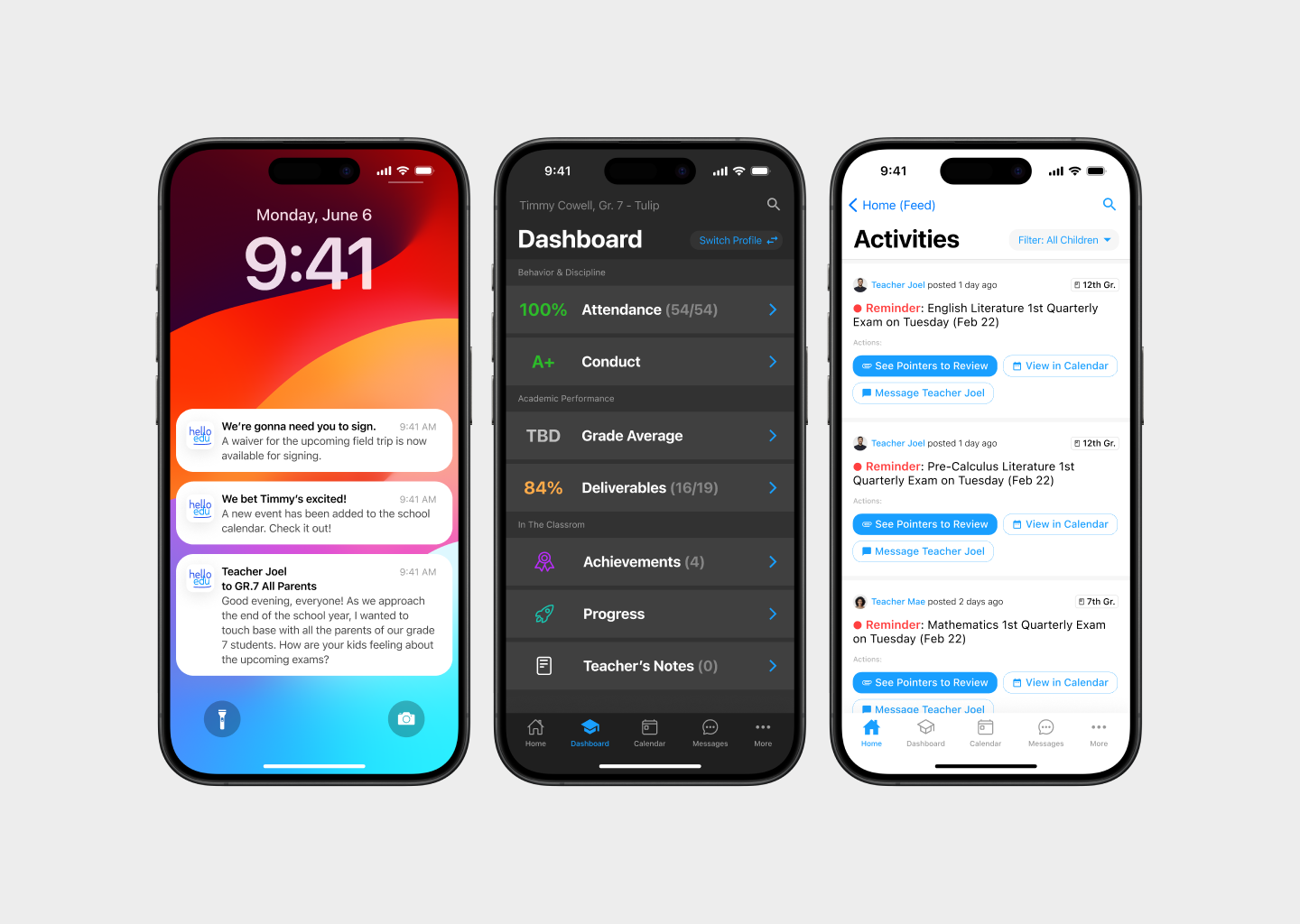
BILCI, an innovative ed-tech company, (in collaboration with PhilEduOnline) embarked on a mission to create a mobile application that seamlessly integrates with their existing Teacher Portal and school technologies. The result is the helloEdu: Parent Portal, a comprehensive tool designed to foster communication, transparency, and efficiency between parents, teachers, and schools. This case summary delves into the UX/UI design journey, focusing on user diversity, parent-teacher/school transparency, and business objectives efficiency.
Competitor Analysis

User Interviews
Here are some common feedback from our interviews with parents:
1. Parents highly value effective communication channels with teachers.
2. They express a desire for real-time updates on their children's progress, including grades, assignments, and school activities.
3. Parents emphasize the importance of a user-friendly and intuitive interface. They express frustration with complex navigation and prefer straightforward access to essential information.
4. Parents express a strong desire for detailed academic tracking features. They want the ability to delve into specific subjects, periods, and assignments for a comprehensive understanding of their children's performance.
Research Verdict
The combination of user insights and competitor analysis suggests that the helloEdu: Parent Portal should prioritize the following:
Communication Features:
- Enhance and prioritize features that facilitate direct communication between parents and teachers.
- Implement a robust notification system to ensure parents receive timely updates on their children's progress and school activities.
User-Friendly Design:
- Place a strong emphasis on creating an intuitive and user-friendly interface.
- Streamline navigation to ensure that parents, regardless of technical proficiency, can easily access the information they need.
Comprehensive Academic Tracking:
- Develop a comprehensive academic tracking system that provides detailed insights into grades, assignments, and projects.
- Address the identified weaknesses in competitor platforms by offering a more thorough academic tracking experience.
User Diversity & Centricity
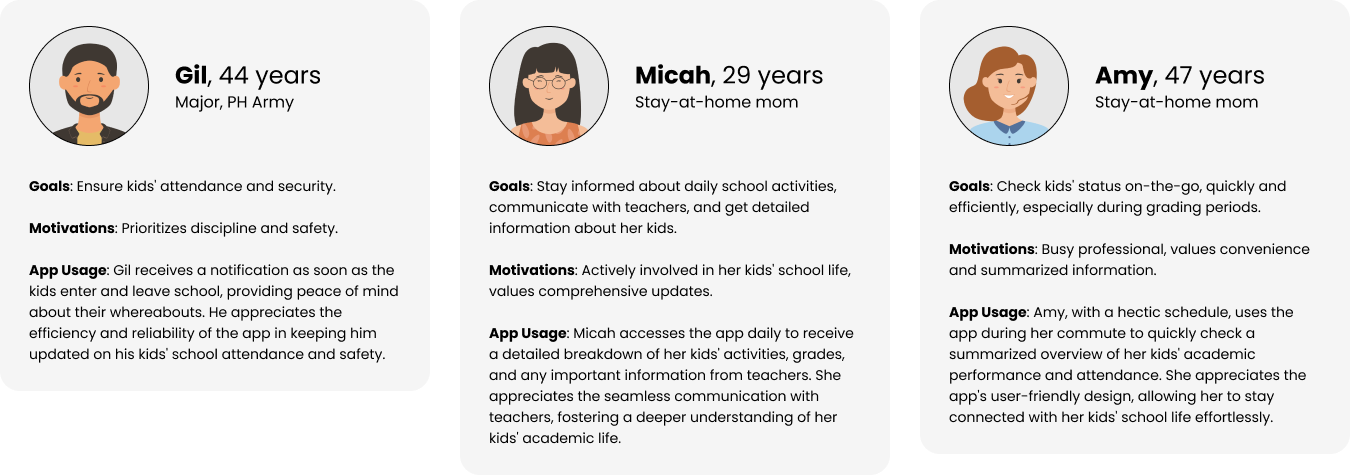
Understanding the diverse needs of parents from 19 different schools guided our user-centric design approach. We conducted extensive user research, creating detailed personas representing various backgrounds, preferences, and priorities. This diversity-driven strategy allowed us to create a flexible and inclusive interface that caters to military cybersecurity professionals like Gil, stay-at-home moms like Micah, and busy professionals like Amy.
Key Personas
Tailored User Flows
As you will see below, we took careful steps to make sure every set of user actions has a clear beginning and destination. We applied the practice of "looking at the end result" or looking at the "finished product" then working backwards to generate main product features.
Parent-School Transparency
Home Page (Feed) Feature
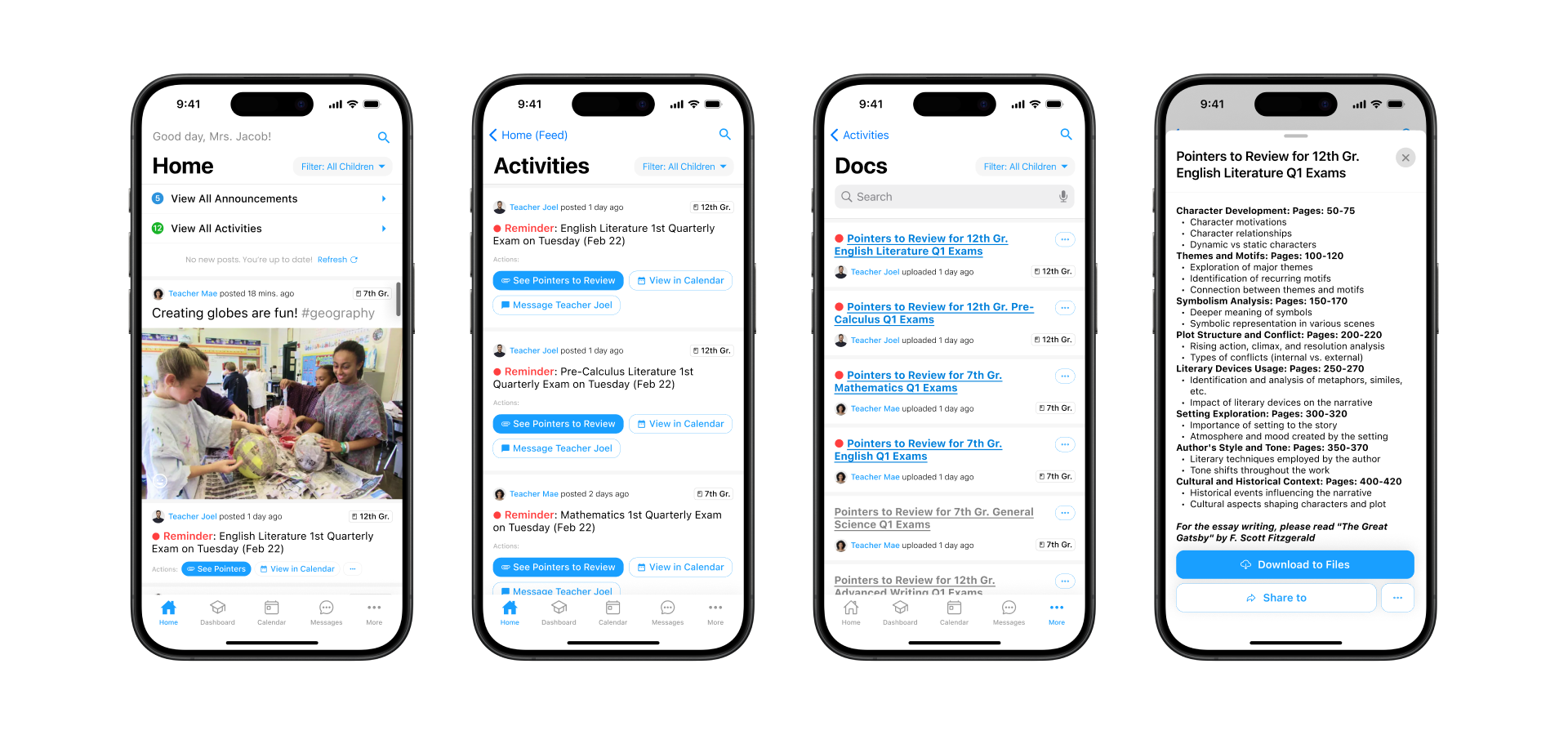
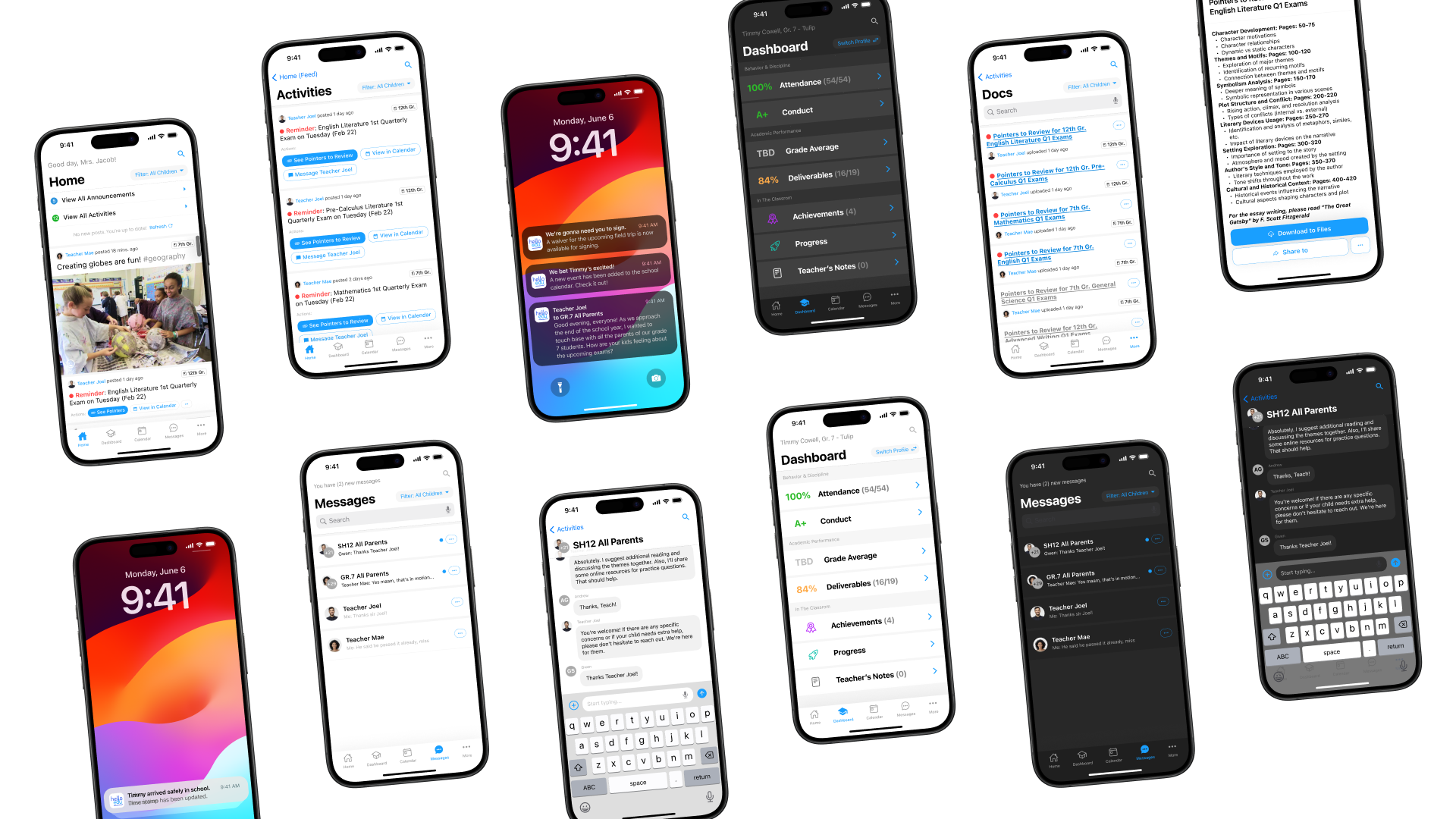
The home page serves as a dynamic feed, acting as an information hub for parents. We implemented a personalized and intuitive design displaying school announcements, class activities, and teacher updates. This feature ensures parents like Micah, who prioritize daily updates, can easily access relevant information, enhancing their connection with the school community.
As Micah, a stay-at-home mom,
I want to quickly access the home page to see school announcements, class activities, and teacher updates
so that I can stay updated on my child's school activities and engage actively in their academic life.

Communication Hub
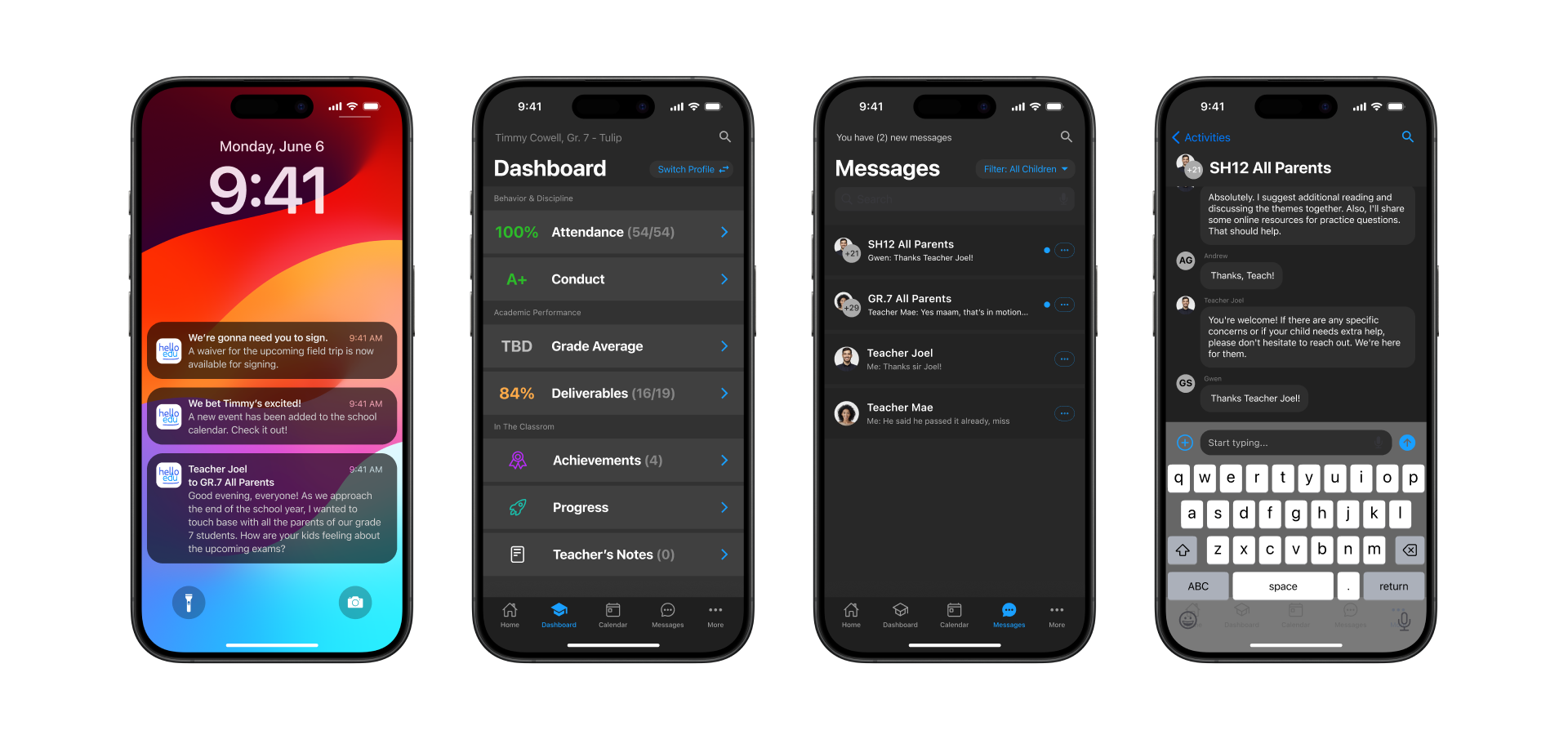
The Communication Hub was meticulously crafted to facilitate direct parent-to-teacher conversations and group interactions. A streamlined interface encourages meaningful communication, addressing the needs of parents like Gil, who prioritize security and timely information. The hub ensures quick and secure exchanges, fostering a transparent and collaborative environment.
As Micah, a stay-at-home mom,
I want a direct communication hub where I can easily interact with teachers and participate in group conversations
so that I can send and receive timely updates about any school-related matters

Student Entry & Exit Notifications
To enhance safety and security, we integrated student entry and exit notifications directly into the app. Parents receive real-time updates on their children's movements, aligning with the priorities of parents like Gil. This feature not only ensures a secure school environment but also keeps parents informed, promoting transparency and peace of mind.
As Gil, a security-conscious parent,I want to receive real-time notifications about my child's entry and exit from school
so that I I can have peace of mind, knowing their whereabouts and ensuring their safety

Business Objectives
Checking Child's Progress (Dashboard)
Efficiency in checking a child's progress was a core business objective. The dashboard provides a summarized overview of a child's activities, assignments, projects, and attendance. This quick access to vital information streamlines the process for parents like Amy, allowing them to efficiently stay informed about their child's academic journey.
As Amy, a busy professional mom,
I want a dashboard that provides a summarized overview of my child's activities, assignments, projects, and attendance
so that I can efficiently stay informed about my child's academic progress despite my hectic schedule.

Event Notifications and Waiver Signing
For seamless handling of event notifications and waiver signing (like field trips), the app guides parents through a straightforward process. The user journey ensures a swift transition from receiving a notification to signing the necessary waiver, addressing the business objective of timely parent engagement and consent.
As Micah, a stay-at-home mom,
I want to receive timely notifications about upcoming field trips and be able to sign waivers directly through the app
so that I can quickly and conveniently provide consent for my child's participation.

Making Payments
Efficiency in financial transactions is achieved through a dedicated Payments section on the app. Parents can effortlessly navigate through pending payments and initiate transactions directly from the app. This feature caters to busy professionals like Amy, ensuring a hassle-free experience in fulfilling financial obligations.
As Amy, a busy professional mom,
I want a streamlined process for making payments for various school-related expenses directly from the app
so that I can efficiently manage my financial obligations on-the-go without disrupting my busy schedule.

Management & Design
Feature Prioritization
After consolidating user stories from stakeholder interviews and parent user interviews, we organized them into thematic epics and prioritized them. Any features categorized as essential will be deemed crucial for the Minimum Viable Product (MVP).

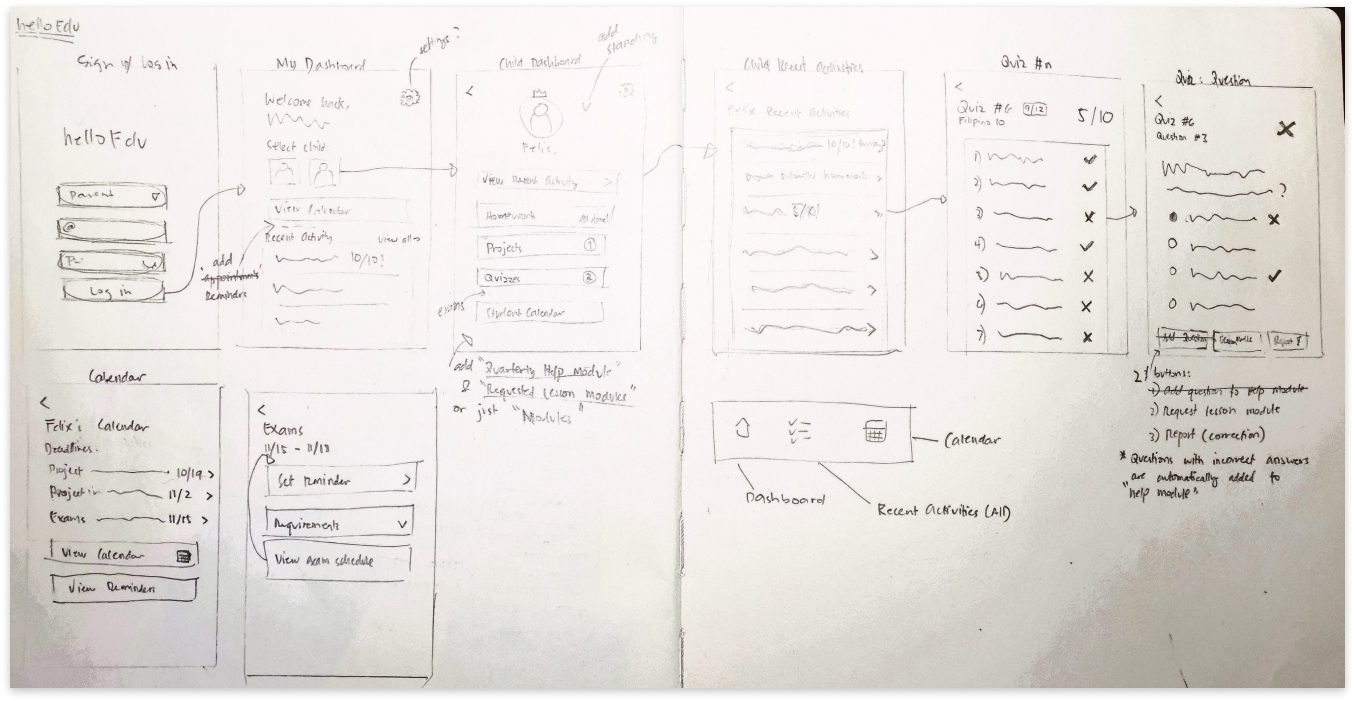
Low-Fidelity Wireframes
Final Thoughts
The helloEdu: Parent Portal stands as a testament to the successful collaboration between design principles, user-centricity, and business objectives. By understanding the diverse needs of parents, fostering transparency, and optimizing efficiency, the application has become an indispensable tool for parents, teachers, and schools alike.
As the ed-tech landscape evolves, this case study serves as a blueprint for creating innovative and inclusive solutions that elevate educational connectivity.